
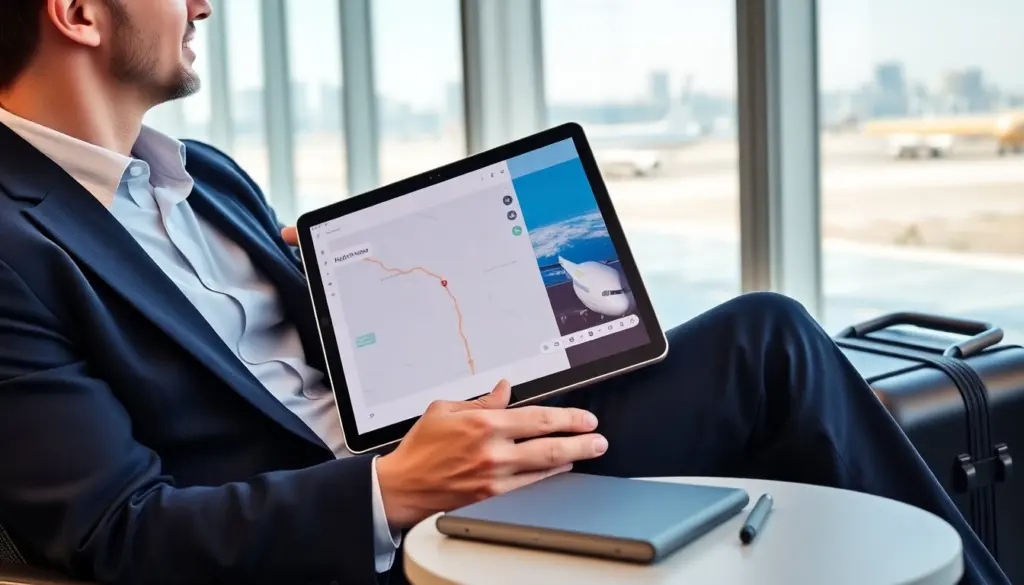
The best tablet for travel helps a traveler stay productive and entertained without extra weight. This guide lists clear criteria and top picks to help a traveler choose the right tablet. It covers size, battery life, connectivity, and durability. It also gives setup and packing tips for offline media, security, and must-have accessories.
Key Takeaways
- The best tablet for travel balances size, battery life, and durability to meet a traveler’s specific needs, with 10-inch screens and 10+ hour batteries being ideal.
- Choose a travel tablet with strong connectivity options like Wi‑Fi 6 and optional LTE or 5G to maintain reliable internet access on the go.
- Top travel tablets include the Apple iPad Air for app quality, Samsung Galaxy Tab S9 FE for pen input, and Microsoft Surface Go 4 for Windows compatibility.
- Prepare your travel tablet by updating software, downloading offline media, and enhancing security with encryption and VPN use to ensure smooth and safe travel.
- Pack essential accessories such as a compact power bank, keyboard, stylus, and protective sleeve to enhance productivity and protect your device during travel.
- Optimize battery life on the road by dimming screens, closing background apps, and using offline modes to reduce charger dependency and extend usage time.
How To Choose A Travel Tablet: Size, Battery, Connectivity, And Durability
Size matters for travel. A tablet with a 10-inch screen balances readability and light weight. A 7–9 inch tablet fits into small bags and counts as light luggage. A traveler who reads and watches movies often should favor at least a 10-inch display.
Battery life defines time between charges. A tablet that lasts 10 hours or more meets a typical travel day. A traveler who has long flights or remote work should pick a tablet with 12+ hours of battery life. Fast charging helps when outlets are scarce.
Connectivity determines online access. A tablet with Wi‑Fi 6 gives faster hotspot speeds in busy places. A tablet with optional LTE or 5G lets a traveler stay online without relying on public Wi‑Fi. A traveler who needs constant connection should choose cellular models and a pay-as-you-go data plan.
Durability prevents damage on the road. A tablet with metal or reinforced plastic withstands drops and bumps. A tablet with water resistance reduces risk from spills. A traveler who packs light should protect the tablet with a slim sleeve and a screen protector.
Performance affects multitasking. A tablet with a modern processor and 6–8 GB of RAM handles streaming, video calls, and light editing. A traveler who edits photos or runs heavier apps should pick a tablet with more RAM and storage.
Storage and expandability matter for offline use. A tablet with 128 GB storage stores movies and maps. A tablet with a microSD slot gives expandable storage for longer trips. A traveler who archives photos should pick a tablet with at least 256 GB or cloud backup.
Accessories change the experience. A keyboard case turns a tablet into a compact workstation. A stylus helps note-taking and photo touch-ups. A traveler who works on flights should add a compact keyboard and a portable charger.
Budget guides the choices. Premium tablets deliver top displays and cameras but cost more. Midrange tablets give long battery life and decent screens for less. A budget traveler should focus on battery life, build, and connectivity rather than every high-end feature.
Best Tablets For Travel — Top Picks And Why They Work On The Road
Apple iPad Air (2024) stands out for many travelers. It offers a 10.9-inch display, Apple M1-class speed, and 10–12 hour battery life. It syncs with Apple services and works with Magic Keyboard and Apple Pencil. A traveler who wants a smooth app ecosystem and long support should choose this iPad. The iPad Air makes the list for weight, battery, and app quality.
Samsung Galaxy Tab S9 FE balances price and features. It offers an 11-inch screen, S Pen support, and a durable aluminum frame. It supports LTE on select models and gives strong battery endurance. A traveler who prefers Android and needs a pen for notes should pick the Galaxy Tab S9 FE.
Microsoft Surface Go 4 fits travelers who need Windows. It runs full Windows apps on a 10.5-inch screen and supports Type Covers. It suits travelers who need desktop apps on the road. A traveler who uses Windows software and prefers a compact form factor should pick the Surface Go 4.
Lenovo Tab P12 Pro offers a bright OLED display and long battery life at a reasonable price. It supports a pen and keyboard accessories and gives microSD expansion. A traveler who stores media locally and wants a strong screen should pick this Lenovo tablet.
Amazon Fire HD 10 remains the budget pick for leisure travelers. It gives reliable playback, long battery life, and strong parental controls. A traveler who mainly streams video and reads books should pick the Fire HD 10 and add a VPN for safer public Wi‑Fi use.
How to choose among these picks: match battery life to flight length, match size to bag space, and match OS to the apps a traveler uses. A traveler who values low weight and long charge should pick the lightest model with the longest battery. A traveler who needs specific apps should pick the OS that supports those apps.
Price and tradeoffs matter. The best tablet for travel can cost more when it adds cellular radios, keyboards, and pens. A traveler who buys a midrange tablet and adds a small keyboard and power bank often gains the most value.
Setup And Packing Tips For Travel: Offline Media, Security, And Accessories To Bring
Prepare the tablet before travel. Update the operating system and apps. Remove unused apps to free space. Download maps, podcasts, and movies for offline use. A traveler who preloads media avoids poor connections.
Set up security. Turn on device encryption and enable a strong passcode. Enable Find My device and set up two-factor authentication for key accounts. A traveler who uses public Wi‑Fi should install a VPN and only use HTTPS sites.
Organize files. Move photos to cloud backup or an external SSD. Create folders for travel documents and offline maps. A traveler who keeps digital copies of passports and tickets reduces stress at checkpoints.
Pack these accessories: a compact power bank with 20,000 mAh, a short USB‑C cable, a compact keyboard or folio, a stylus if used, a slim sleeve, and a universal adapter for outlets. A traveler who carries a power bank avoids dead-device problems during long days.
Protect against theft and damage. Use a low-profile sleeve that hides the tablet. Keep the tablet in a carry-on or daypack rather than checked luggage. A traveler who keeps the tablet on their person reduces theft risk.
Optimize battery usage on the road. Dim the screen, close background apps, and use airplane mode when offline. Use offline modes for maps and streaming apps to save power. A traveler who follows these steps will extend battery life and reduce charger dependence.
Test everything before departure. Play a downloaded movie, connect to the VPN, and simulate offline map use. A traveler who tests the setup avoids surprises on the trip.