
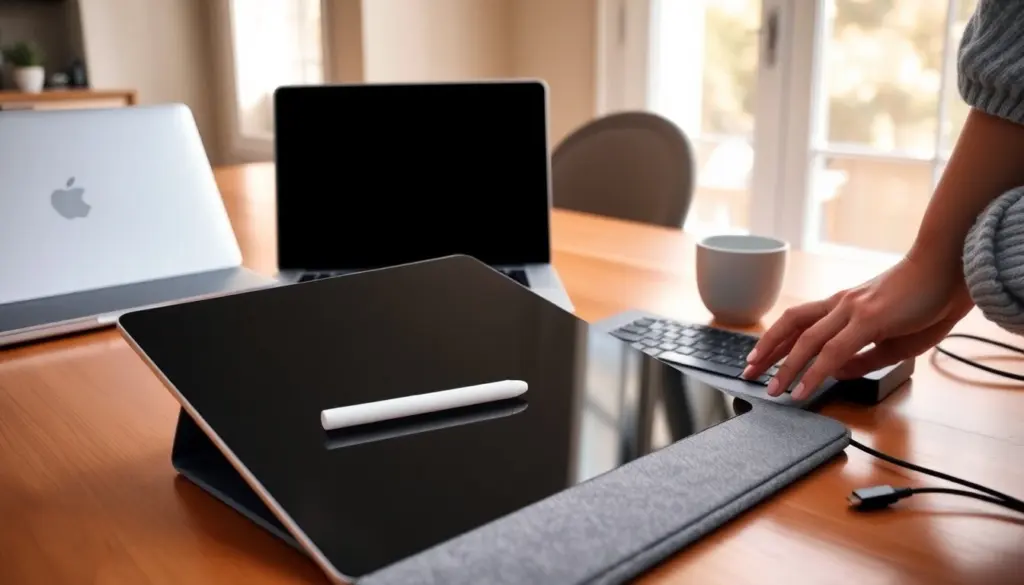
For most people deciding between a tablet and a laptop in 2026, the right choice depends on which tasks they prioritize: portability and touch-first interaction, or raw power and versatility. This guide compares the two across hardware, real-world performance, portability, and value to help readers pick with confidence.
Quick Facts:
- Tablets excel at portability and touch apps: laptops lead in multitasking and expandability.
- Modern tablets can handle light creative work with attachable keyboards and pen support, but high-end laptops still outperform them for sustained heavy tasks.
- Battery life varies: tablets often last longer for mixed use: laptops offer more total runtime when configured for efficiency.
- Price ranges overlap: budget laptops can be cheaper than premium tablets plus accessories: total cost depends on needed accessories and longevity.
Key Takeaways
- Tablets prioritize portability and touch-first interaction, making them ideal for casual use, media consumption, and light creative tasks.
- Laptops offer superior raw power, multitasking capabilities, and expandability, suited for professional software and heavy workloads.
- The primary difference lies in tablet ARM SoCs and mobile OSes versus laptop x86 CPUs and desktop OSes, influencing performance and software availability.
- Laptops support upgrades and diverse ports, providing long-term value and adaptability, whereas tablets focus on sealed, thin designs with limited hardware upgrades.
- Choosing between a tablet and laptop depends on user needs: tablets excel for mobility and simplicity; laptops for productivity and versatility.
- Price overlaps exist, but total cost varies with accessories and longevity; laptops generally deliver better performance per dollar for power users.
Key Differences: Hardware, Performance, And Operating Systems
Tablets and laptops diverge in three core areas: processor architecture, thermal design, and operating system. Tablets primarily use ARM-based SoCs that favor energy efficiency and integrated GPUs, making them ideal for lightweight apps and long battery life. Laptops more commonly use x86 CPUs with distinct GPUs or discrete graphics, delivering stronger sustained performance for complex workloads.
Operating systems also shape capabilities. Tablet OSes (iPadOS, Android) prioritize touch, app sandboxing, and optimized mobile apps: they offer simplicity and quick wake behavior. Laptop OSes (Windows, macOS, Linux) support full desktop applications, deeper multitasking, and broader peripheral compatibility. That difference affects software availability: professional-grade desktop apps and specialized utilities are generally more complete on laptops, while tablets offer polished mobile-first creative and media apps.
Bold trade-off: tablets trade raw power for efficiency and simplicity: laptops trade battery and size for expandable performance.
Processing Power And Multitasking: CPUs, GPUs, And Real-World Performance
In day-to-day use, a tablet’s ARM chip handles web browsing, video streaming, note-taking, and light photo editing without strain. But when multiple heavy apps run together, virtual machines, large spreadsheets, or video renders, laptops maintain higher sustained throughput thanks to stronger CPUs, better cooling, and more RAM.
GPU differences matter for creators and gamers. Integrated mobile GPUs are fine for casual gaming and app-based drawing: discrete or high-power integrated GPUs on laptops are better for 3D work and hardware-accelerated encoding. Multitasking on a laptop benefits from more RAM and true background process management: tablets rely on app suspension and optimized memory use, which keeps battery life up but can interrupt complex workflows.
Storage, Ports, And Expandability: What You Can—and Can’t—Upgrade
Laptops often allow upgrades: additional SSD slots, more RAM (on many models), and a wider selection of ports, USB-A, USB-C with Thunderbolt, HDMI, and SD readers. That makes them a better long-term platform for evolving needs. Repairability and modularity vary by model, but overall laptops are more future-proof.
Tablets prioritize thinness and sealed designs: storage and RAM are typically fixed. Expansion relies on cloud storage, external drives over USB-C, or microSD (on some Android tablets). Accessories such as keyboards, pens, and docks add functionality, but they don’t replace the internal upgrade paths laptops offer. For buyers wanting a device they can tweak over years, a laptop usually delivers more value.
Use Cases: Which Device Fits Your Needs
Choosing depends on primary use. A tablet fits users who prioritize mobility, casual media, reading, and quick sketches, especially when paired with a stylus. It’s excellent for students taking notes, commuters who read and stream, and creatives working with touch-first apps.
Laptops suit professionals who need desktop-class software, multitasking with many windows, or frequent file transfers. They’re a better pick for developers, video editors, heavy spreadsheet users, and anyone relying on specialized peripherals. Hybrid users who split time between consumption and serious work may opt for a powerful ultraportable laptop or a premium tablet with a detachable keyboard.
Content Consumption, Creativity, And Productivity: Matching Devices To Tasks
For watching video, reading, or social media, tablets win with lightweight handling and long standby. For drawing and photo touch-ups, a tablet with a responsive pen offers immediacy and tactile control. But, advanced photo editing and layered composites benefit from laptop apps and larger screens.
Productivity tasks like coding, multitasking between large documents, and running local servers favor laptops. Keyboards and trackpads on laptops are generally more comfortable for long typing sessions: detachable tablet keyboards can work but often compromise angle and ergonomics. Match device to the dominant task rather than trying to force one device to do everything.
Portability, Battery Life, And Durability
Tablets are lighter and thinner, making them easier to carry for long periods and better for single-hand use. Many tablets offer all-day battery life under casual use because mobile chips are optimized for efficiency. Laptops have improved, some ultraportables now deliver excellent battery life, but heavier workloads drain them faster.
Durability is mixed: tablets are fragile without cases, and ports are limited: laptops can handle rougher desk-side use and often include sturdier chassis and more protective features. For frequent travel where weight is the priority, a tablet or a lightweight laptop are both valid choices: durability and accessory protection matter either way.
Price, Accessories, And Long-Term Value
Upfront prices overlap: entry-level laptops undercut premium tablets, but once accessories (keyboard, pen, protective cover) are added, total tablet cost can match or exceed a midrange laptop. Laptops tend to offer better price-to-performance for power users and longer usable lifespans due to upgrade options.
Consider ongoing costs: app ecosystems, replacement batteries, and accessory upgrades. Tablets may receive longer OS support on flagship models, but repair costs can be higher. For buyers focused on long-term value and flexibility, a laptop often provides more options: those prioritizing immediacy, simplicity, and portability may find a tablet the smarter short-term buy.
Tablet vs Laptop: Frequently Asked Questions
What are the main differences between a tablet and a laptop in terms of hardware?
Tablets use energy-efficient ARM-based processors and integrated GPUs, ideal for lightweight tasks and long battery life. Laptops typically use x86 CPUs with distinct or discrete GPUs, providing stronger sustained performance for complex workloads and multitasking.
Which device offers better multitasking and performance for heavy workloads?
Laptops outperform tablets in multitasking and sustained heavy workloads due to stronger CPUs, better cooling, more RAM, and support for full desktop applications, making them ideal for video editing, programming, and large spreadsheets.
How do portability and battery life compare between tablets and laptops?
Tablets are lighter, thinner, and typically offer longer battery life during casual use thanks to optimized mobile chips. Laptops have improved battery life but are generally heavier and drain faster under heavy workloads.
Can I upgrade the storage or memory on a tablet like I can on a laptop?
Tablets usually have fixed storage and RAM with limited expansion via cloud or external drives. Laptops often allow internal upgrades like additional SSDs or RAM and offer a wider selection of ports, making them more future-proof and customizable.
What use cases are best suited for tablets versus laptops?
Tablets excel for mobility, media consumption, note-taking with styluses, and casual creative work. Laptops are better for professionals needing desktop software, extensive multitasking, specialized peripherals, and high-performance computing tasks.
Are tablets or laptops better in terms of long-term value and cost?
While entry-level laptops can be cheaper, adding accessories to tablets can make them costlier. Laptops generally offer better price-to-performance ratios, upgrade options, and longer usable lifespans, providing superior long-term value for power users.