

g15tools com gadget points at the gadget articles on g15tools.com, but those articles describe the word “gadget” in three incompatible ways. This look at the gadget material explains which of them the site actually backs up with content a reader can check.
| What is g15tools.com? | A tech blog covering PCs, laptops, phones, tablets and games |
| Where are the gadget pages? | Under the I Love Gadgets category, about 21 posts |
| Does the site sell gadgets? | No shop pages appear in its menus |
| Is there a downloadable gadget? | One article describes a browser extension, with no visible download page |
| What are the best gadget pieces? | A MacBook repair guide and a travel connectivity article |
Three meanings of the g15tools gadget label
The About page describes g15tools as a source of tech information, tools and tips, covering everything from PCs and laptops to smartphones and tablets, with guides and tutorials. Its menu lists categories for what’s new, news and updates, games, Minecraft, Call of Duty, retro time and a gadgets section. That is a media site, and the gadget category is where its product and accessory articles live.
The gadget shelf is also small next to the rest of the site. The category counts show about 73 posts in gaming and 63 in gambling against 21 in gadgets, so the gadget pages are a minor corner of a publication that leans toward games.
Searches such as www g15tools gadget and www g15tools gadgets send readers into that category. Three kinds of article answer them. Some are real how-to and buying pieces. Others describe a software “gadget” that you install. A third group describes a catalogue of gadgets the site supposedly lists. Only the first group is clearly supported by what the site contains.
What the gadgets category really contains
The category holds about twenty-one posts, and the most substantive ones are ordinary tech journalism. A guide for enthusiasts on MacBook accessories and replacement parts goes into component detail: why a trackpad replacement must match the exact model and year, which tools are needed (a P5 pentalobe driver, a T5 Torx driver, a plastic spudger and tweezers) and why the battery cable should be disconnected first.
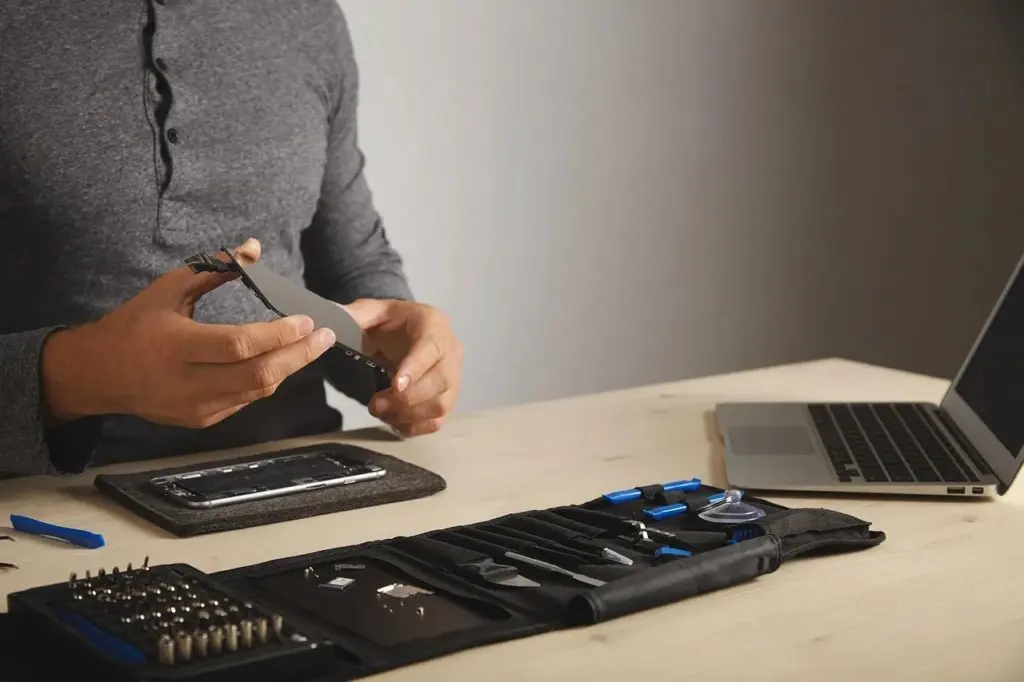
The same guide is honest about limits. SSD upgrades, it says, are only possible on models up to about 2017 where the drive is a removable module, because newer machines solder the memory chips to the motherboard; on older Air and Pro models a standard M.2 NVMe drive can be fitted with an adapter, and the article reminds readers to make sure TRIM is active on the new drive. It also warns that replacing a display assembly can leave True Tone disabled unless the controller is reprogrammed, and it covers docking stations, where Power Delivery capacity is the figure to match.
A travel piece on staying connected in Vietnam argues that mobile data is a core travel tool, compares roaming with local connectivity options and lists the daily tasks a phone handles, from navigation to payments. The travel article compares roaming with local data, suggests deciding how much data you really need, whether you will move between regions, whether setup needs in-country registration and whether support is available, and recommends choosing before arrival to avoid airport rushes. It does mention one SIM provider by name in passing, which reads like a placement.
Others include a headphone evaluation, a gaming chair spec sheet and a short item on a proxy service. These articles are specific, they have a subject and a point, and they are the right reason to visit the section.
The browser-extension claim on g15tools
Quite different is the article titled around the www g15tools gadget. It presents the gadget as a lightweight browser extension with a local helper app, adding toolbar utilities for file handling, link previews and quick format conversion. It says the tool runs on Windows 10 or later, macOS 11 or later and Chromium-based browsers, needs about 200 MB of disk space and 2 GB of memory, and updates automatically.
None of that is backed by anything else on the site. There is no download page, no publisher name, no version history and no store listing in the menus or in the article itself. The article tells users to download the package “from the official site” and verify a file hash, but it never says where that official site is or what the hash should be. Software that asks for clipboard and file permissions deserves a named source before anyone installs it, and this one has none that a reader can find on g15tools.
The catalogue claim: g15tool gadgets as products
The third type covers what readers type as g15tool com gadgets or g15tool.com gadgets, and these describe a product range: gaming controllers, streaming capture devices at 1080p60 or 4K, fast chargers and adjustable phone mounts, sorted by use case and described by polling rate, codec support and wattage.

The advice inside is generic and sensible: compare prices and shipping, check seller ratings, look for warranty details, pair controllers by cable first and update firmware. But the site shows no product pages, prices or cart. The pieces read as buying guides to gadget categories, not as listings from a store. Readers who search gadgets g15tool or g15tool gadgets looking for a shop should treat the answer as no shop, and use the site for reading only.
Product reviews on the g15tools gadget shelf
Two long reviews sit in the same category. One evaluates a pair of Bluetooth headphones and quotes a 40 mm driver, hybrid noise cancelling, a 40-hour battery with noise cancelling off, Bluetooth 5.4 multipoint pairing and a weight of 260 grams. The other is a spec sheet for a gaming chair, with a cold-rolled steel frame, four-way armrests, a recline range from 90 to 170 degrees and a ten-year frame warranty.
Both are detailed, and both say the same thing about themselves: they describe real listening, real calls and real assembly torque values. Yet neither links to a manufacturer page, a retailer or test data, and the brand names are not ones this review could match to a maker elsewhere. They are best read as descriptions of products, not as verified measurements, and a buyer should confirm every figure on the product’s own listing before spending money.
How to read the g15tools gadget pages
A practical approach is to sort every gadget article into one of three bins. If it has a concrete subject, named parts, named tools and steps you could follow with a screwdriver in hand, it is journalism and worth using. If it describes software to install, look for a publisher and a download source outside the article before installing anything. If it describes a product range, check the maker’s own site rather than the guide.
A quick check works for any extension or helper app, whichever site recommends it: look for a named publisher, a listing in the browser’s own store, a version history and a list of the permissions it asks for. If those are missing, the recommendation is not enough on its own.
The site’s contact page shows an email address for feedback, which is the way to ask which of its gadget pieces describe real products. Until a reply names one, the strongest material on the site remains the repair, travel and hardware pieces, and the weakest is the claim of a downloadable gadget with no source attached.