
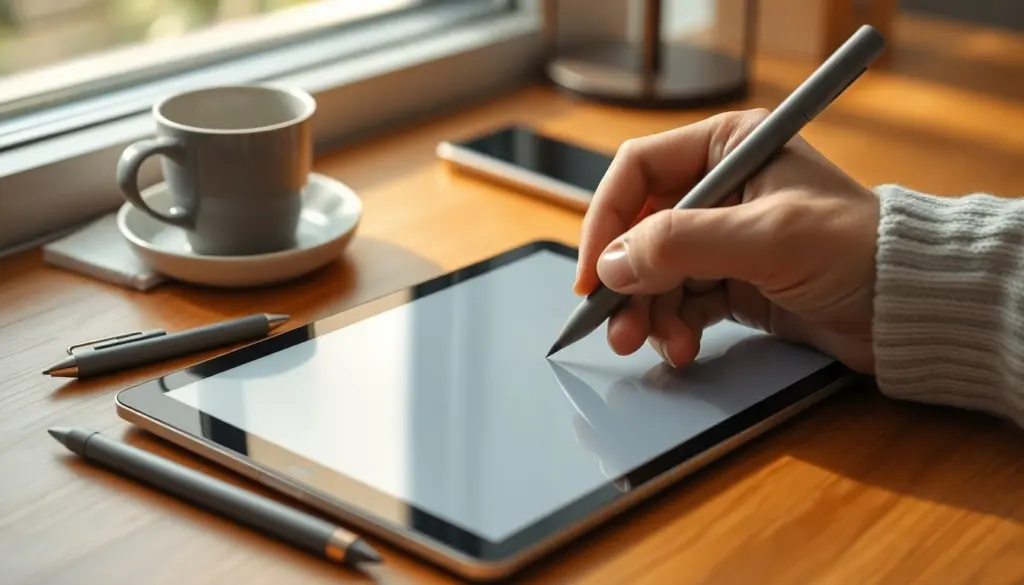
Used for interacting with touchscreens and drawing tablets, a stylus is a pen‑like tool that translates finger-like inputs into precise digital actions. It’s essential for artists, students, and professionals who need more accuracy or pressure control than a finger can provide. This article explains what a stylus is, how different types work, common uses, and practical tips for choosing one.
Key Takeaways
- A stylus is a pen-like tool that enables precise interaction with touchscreens and drawing tablets, enhancing tasks like handwriting and digital art.
- There are two main types of styluses: capacitive (simple, affordable, battery-free) and active (feature-rich with pressure sensitivity and tilt detection).
- Active styluses improve accuracy and control by offering pressure sensitivity and connectivity features such as Bluetooth for additional functions.
- Choosing the right stylus depends on device compatibility, intended use, ergonomics, and tip type to match your workflow needs.
- Styluses are valuable for artists, students, and professionals who require precision beyond what fingers can provide, improving overall productivity and comfort.
What Is A Stylus And Why It Matters Today
A stylus is a handheld input device designed to interact with touchscreens, graphics tablets, or digitizers: it replaces or supplements a finger for tasks that require precision. Modern devices use styluses for handwriting, sketching, signatures, and precise tapping where fingers are too coarse. As screens have become higher resolution and mobile workflows more creative, styluses matter because they enable pressure‑sensitive strokes, finer selection, and a natural pen‑on‑paper feel that speeds work and improves accuracy.
Quick Facts
- Most consumer tablets support capacitive styluses: some require specific active models.
- Active styluses add features like pressure sensitivity and tilt detection.
- Stylus tips vary: soft rubber for general use, replaceable nibs for drawing precision.
How Styluses Work: Key Technologies Explained
Styluses work by either mimicking a finger on a touchscreen or communicating with a device’s digitizer. Capacitive styluses change the screen’s electrostatic field with a conductive tip, so the device treats the input like a finger. Active styluses contain electronics, sometimes batteries, that transmit position, pressure, and button signals to the device for finer control.
Capacitive Vs. Active Styluses: Differences And Trade-Offs
Capacitive styluses are simple, affordable, and battery‑free: they’re fine for tapping, scrolling, and basic note‑taking but lack pressure data and palm rejection. Active styluses pair with devices (via Bluetooth or a dedicated protocol), offering low latency, pressure sensitivity, and better palm rejection. The trade‑off: higher cost, occasional pairing steps, and sometimes proprietary compatibility.
Pressure Sensitivity, Tilt, And Connectivity: What Active Styluses Offer
Active models deliver features that mimic traditional media: pressure sensitivity changes line thickness, while tilt detection produces shading effects in many art apps. Connectivity options include Bluetooth for extra buttons or gestures and direct digitizer support (e.g., Wacom EMR or Apple Pencil protocols). For creators, those features materially improve control: for casual note‑takers, they’re convenience rather than necessity.
Common Uses For A Stylus: From Note‑Taking To Digital Art
Styluses suit a broad range of tasks where precision or handwriting matters. Visual artists use pressure and tilt to emulate pencils, brushes, and markers in apps like Procreate or Photoshop. Students and professionals prefer styluses for handwritten notes, annotated PDFs, and signing documents, handwriting remains faster for many people than typing in certain contexts.
Other practical uses include UI navigation on small screens, precise selections in photo editing, and accessibility aids for users with motor challenges. The right stylus can reduce fatigue and improve accuracy compared with fingers, especially for repetitive or detailed tasks.
How To Choose The Right Stylus For Your Device And Workflow
Choosing a stylus starts with device compatibility: check whether the tablet or phone supports passive capacitive pens or requires an active stylus built for its digitizer. Consider the main task, sketching, annotating, or general navigation, and prioritize features accordingly: pressure sensitivity and tilt matter for drawing: battery life and shortcut buttons matter for productivity.
Also weigh ergonomics and tip options. A comfortable grip reduces hand strain during long sessions, while replaceable nibs extend the pen’s life. Verify warranty and spare parts availability if the stylus is a premium model.
Practical Buying Tips: Compatibility, Tip Types, And Budget Considerations
When shopping, follow three quick checks: compatibility, tip type, and price. First, confirm the stylus matches the device’s digitizer protocol (look up the tablet’s spec sheet). Second, choose a tip that fits the work: soft rubber for everyday tasks, fine replaceable nibs (0.7–1.5 mm equivalents) for line work, and felt or brush tips for calligraphy effects. Third, set a budget, basic capacitive pens can be under $20, mid‑range active styluses are $50–150, and manufacturer‑specific pro pens may cost more.
Avoid common mistakes: buying a feature‑rich pen that isn’t supported by the tablet, or assuming all active styluses offer identical pressure performance. Read compatibility notes and, when possible, test the pen in person.
Frequently Asked Questions About Styluses
What is a stylus and how is it used with touchscreens?
A stylus is a pen-like tool used to interact precisely with touchscreens and drawing tablets, enabling accurate tapping, handwriting, and drawing that a finger can’t achieve.
What is the difference between a capacitive and an active stylus?
Capacitive styluses mimic a finger’s input without batteries, suitable for basic tasks. Active styluses include electronics for pressure sensitivity and tilt detection, offering better control but at a higher cost and compatibility requirements.
How does pressure sensitivity in active styluses benefit digital artists?
Pressure sensitivity allows artists to vary line thickness naturally, similar to traditional drawing tools, enhancing realism and control when sketching or painting digitally.
Can I use any stylus with my tablet or phone?
No. Stylus compatibility depends on your device’s digitizer technology. Check your tablet’s specifications to ensure the stylus supports its particular protocol, especially for active styluses.
What factors should I consider when choosing a stylus for note-taking versus drawing?
For note-taking, prioritize comfort, battery life, and basic precision, often found in capacitive styluses. Drawing requires active styluses with pressure sensitivity, tilt detection, and fine-tip options for detailed work.
Why is tip type important for a stylus, and what are common options?
Tip type affects precision and feel. Soft rubber tips suit everyday use, replaceable fine nibs improve line accuracy for art, and felt or brush tips mimic calligraphy effects for creative styles.